
Imagine a building whose security system checks every instruction against a master key. One night, someone uses the real key to tell the doors to admit a stranger. The locks work perfectly; the trust behind them has failed.
That is the puzzle at the heart of an active campaign targeting WordPress sites connected to UpdraftCentral, a remote-management service for the widely used UpdraftPlus backup plugin. Attackers have used valid dashboard keys to send commands that install backdoor plugins. The cryptographic checks did not fail. They confirmed that the commands were genuine.
The danger was inside the trust relationship
UpdraftPlus includes a client for UpdraftCentral, but the remote-management channel becomes active only after a site receives a key. The site creates its own RSA key pair and stores the dashboard’s public key. Later, it accepts commands signed with the corresponding private key, carrying out their instructions with the authority of the user who connected it.
That arrangement is convenient: an administrator can manage a site remotely without approving every task on the site itself. But it also means the connected site must trust that the dashboard’s private key stays under the operator’s control. In this incident, the apparent failure was not a forged key but a key that seemed to be legitimate.
There may be more connected sites than their owners realize. A site can be enrolled by linking a TeamUpdraft account, and the login screen’s option to add the site to UpdraftCentral was checked by default. A site owner who had never deliberately opened a remote-management dashboard could therefore have enabled the connection simply by linking an account.
A backdoor disguised as routine maintenance
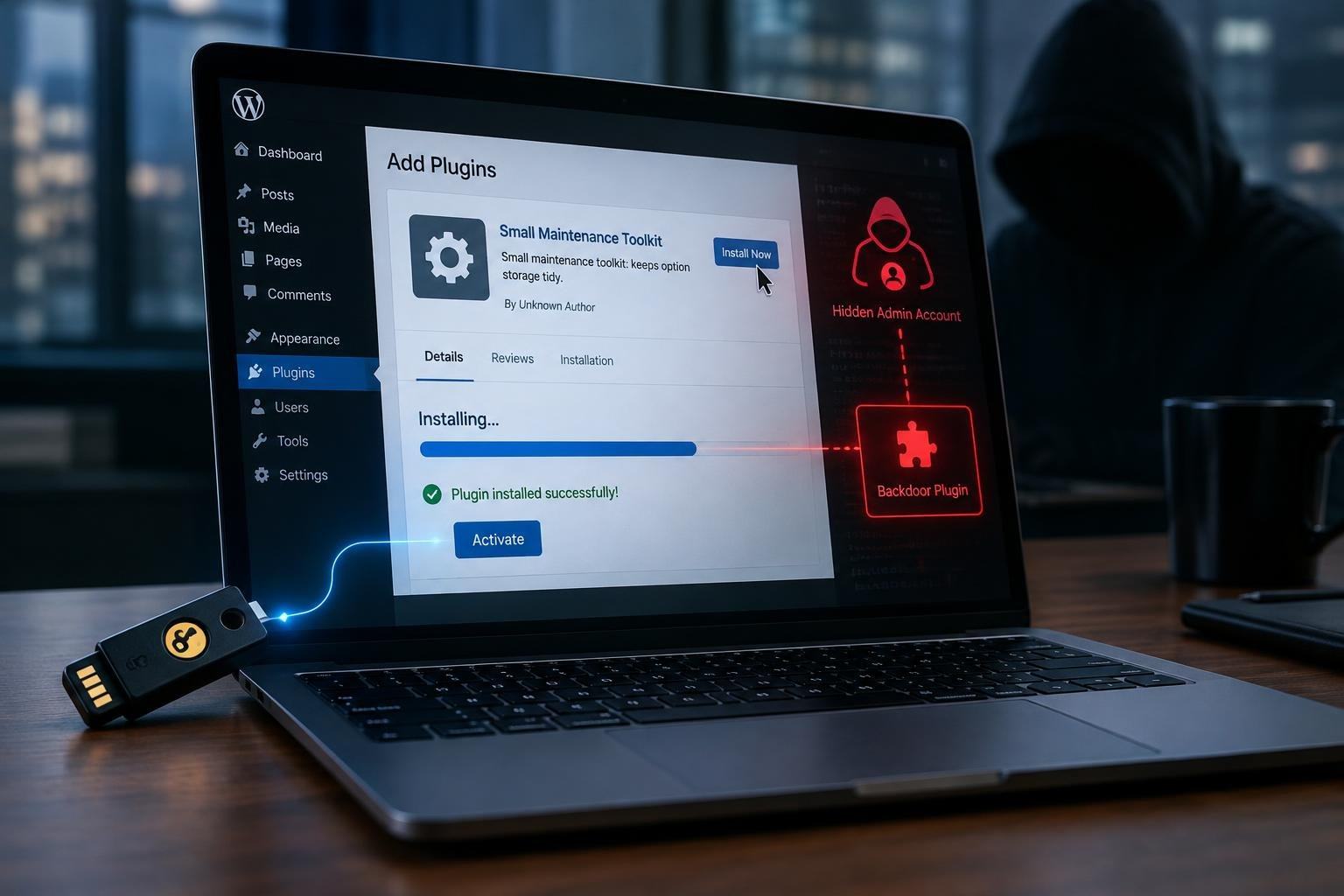
The attackers sent a signed instruction to upload and activate a plugin. WordPress then used its normal plugin-installation process, which is precisely why the action could look like ordinary administration rather than an exploit breaking through the software’s defenses.
The delivered plugins were designed to create a hidden route back into the site. They watched for a secret token in a web request, then created an account labelled as an Editor. But the account was also given powers to change site settings and install plugins—capabilities that can enable further control. The code could log the visitor in directly using a cookie, bypassing the usual login form and the protections attached to it, such as two-factor authentication.
Removing the malicious plugin alone would not necessarily remove the account it created. That detail turns a seemingly simple cleanup into a more careful investigation: the backdoor’s foothold can survive the piece of code that installed it.
Researchers observed 99 different plugin names, most apparently randomized. One recurring name was “Site Health Cache,” but the more consistent clue was a shared description: “Small maintenance toolkit: keeps option storage tidy.” Some analyzed samples also contained an error that caused a fatal failure before the backdoor could run, producing server errors on uncached requests. That flaw may have alerted site owners—but repairing the code could activate the backdoor. The advice in the report is to remove it, not fix it.
A stolen key is different from a software bug
As of 19 October 2026, no UpdraftPlus version was identified as a fix: the latest releases were affected if a site had an active UpdraftCentral key. The incident report said the evidence pointed to dashboard keys leaking from the cloud environment, although it did not establish exactly how they were exposed. TeamUpdraft had published an incident notice that day; the supplied information did not describe a completed technical fix.
This distinction matters. A software vulnerability is a flaw an attacker can exploit; here, the commands passed the site’s checks because they were signed with genuine keys. Updating the plugin alone would not invalidate that trust. The immediate mitigation identified in the report was to delete UpdraftCentral keys. Sites that may have received a backdoor also need to remove suspicious plugins and investigate accounts that could persist after plugin removal.
The episode is a reminder that remote administration trades local effort for centralized trust. A master key can make thousands of routine tasks easier—and, if it falls into the wrong hands, make a malicious command look like one more routine task. The hardest question for a connected site is not only whether its locks work, but who is holding the key.